A failed-message count is not an instruction to resend the entire campaign. Recovery should target the actual failures while protecting customers who already received the message. This guide focuses on the practical decisions that turn the idea into a dependable business process. This article is written for campaign operators and support teams responsible for reliable high-volume messaging, so the advice stays close to day-to-day business work instead of abstract marketing theory.
1.Why retry failed WhatsApp messages deserves a proper process
WhatsApp is personal. A customer sees a business message beside conversations with family, colleagues, and friends, which raises the standard for relevance. Careless retries waste limits, distort reporting, and make a legitimate campaign look like spam. Good execution begins with permission, accurate contact data, an approved message format when required, and a clear reason for sending. The business should be able to explain the value of every message in one sentence. If it cannot, the message probably needs another edit. Technology should make the service feel more attentive, not more robotic, and every automated path should still provide a sensible route to a person.
2.Start with the customer outcome
Preserve the original recipient record and retry only a confirmed failed delivery with an understood cause. Before configuring anything, write down the event that starts the workflow, the customer who should receive it, the outcome the message should create, and the person responsible when automation cannot finish the job. This prevents a sophisticated sequence from becoming an ownerless process. Use a small internal test list first. Check names, number formatting, variables, links, images, buttons, timing, and opt-out behaviour. Only then move to real customers who have agreed to receive the relevant communication.
3.Identify the failure category
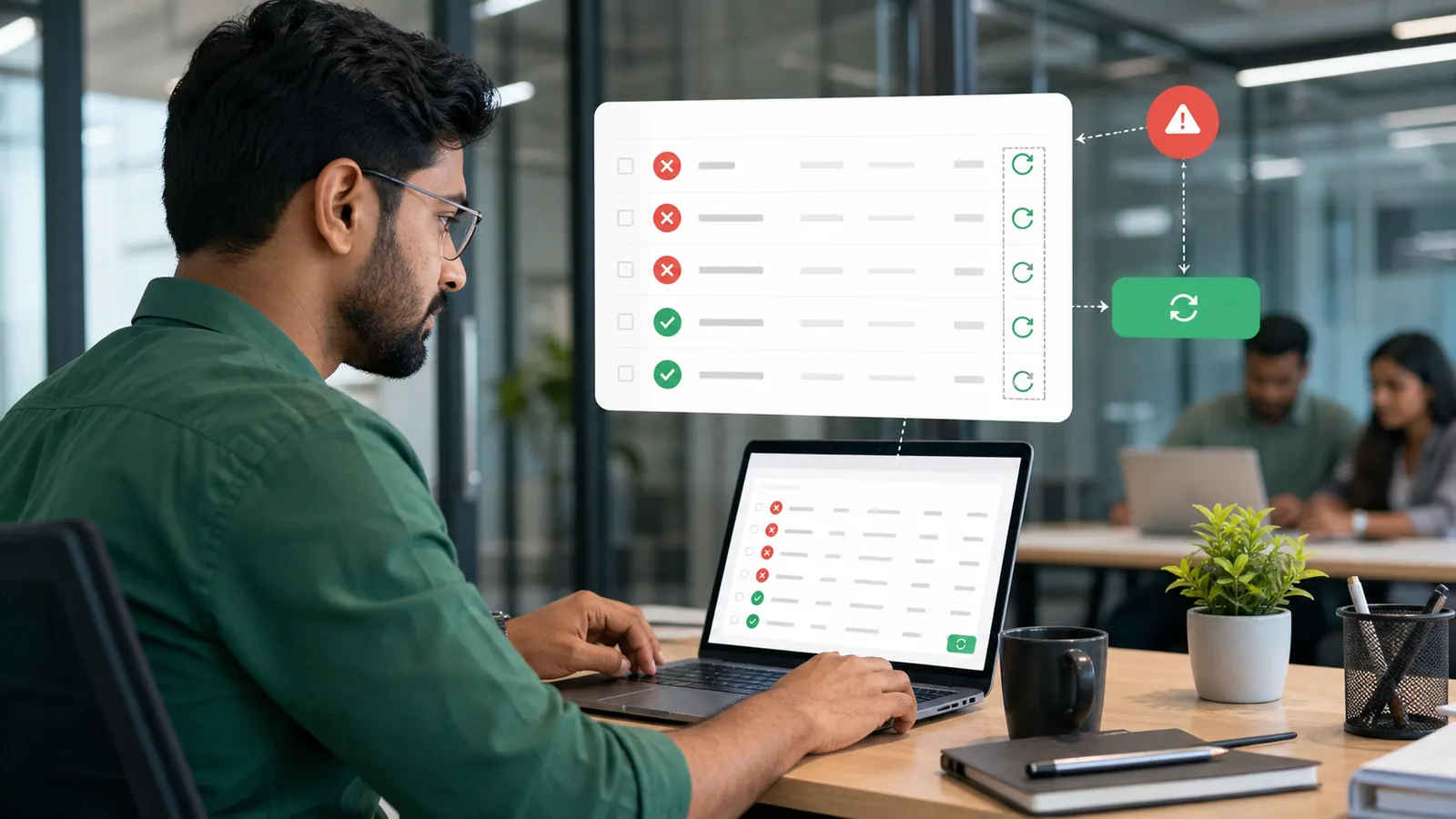
Invalid numbers, template errors, expired credentials, rate limits, and temporary network problems need different responses. The useful question is not whether the feature sounds impressive. It is whether it removes a real delay, repeated task, or missed customer moment. Group failures by error code and fix the shared cause before retrying. A template-parameter mismatch is corrected once instead of retrying the same broken payload repeatedly. Keep the first version intentionally simple, watch what customers actually do, and improve the workflow from evidence rather than assumptions. Read the finished message on a phone before sending it widely. If the next action is not obvious in a few seconds, simplify the copy or the flow. Do not retry before understanding whether the message, data, account, or network caused the failure. Test the normal path as well as missing data, an incorrect phone number, a late reply, and a customer who wants to stop messages. Those edge cases are where a polished workflow proves its value.
4.Build an eligible retry set
The retry audience should come from failed message records, not from the original contact list. A process that depends on someone remembering every small step will eventually break, especially when message volume grows. Exclude sent, delivered, read, opted-out, and already-retried recipients. A campaign with 500 recipients and 12 failures creates a retry set of at most those 12 records. Keep the first version intentionally simple, watch what customers actually do, and improve the workflow from evidence rather than assumptions. Read the finished message on a phone before sending it widely. If the next action is not obvious in a few seconds, simplify the copy or the flow. Do not rebuild the retry audience from the original list. Test the normal path as well as missing data, an incorrect phone number, a late reply, and a customer who wants to stop messages. Those edge cases are where a polished workflow proves its value.
5.Keep the retry idempotent
Repeated clicks or scheduler runs should not create another message after the retry has already been queued. Customers never see the setup behind the scenes; they only notice whether the message arrives at the right moment and helps them move forward. Store retry state and check it before creating a replacement send. An operator can refresh the page without accidentally sending the same recovery twice. Keep the first version intentionally simple, watch what customers actually do, and improve the workflow from evidence rather than assumptions. Read the finished message on a phone before sending it widely. If the next action is not obvious in a few seconds, simplify the copy or the flow. Do not retry before understanding whether the message, data, account, or network caused the failure. Test the normal path as well as missing data, an incorrect phone number, a late reply, and a customer who wants to stop messages. Those edge cases are where a polished workflow proves its value.
6.Reconcile reporting
Campaign totals should explain original success, original failure, retry attempt, and final outcome without inflating recipients. Treat the workflow as an operating system rather than a one-time campaign trick, with a clear owner and a documented reason for every rule. Update counters from message-level status transitions and keep an audit trail. A recovered delivery reduces unresolved failures while the original recipient count remains unchanged. Keep the first version intentionally simple, watch what customers actually do, and improve the workflow from evidence rather than assumptions. Read the finished message on a phone before sending it widely. If the next action is not obvious in a few seconds, simplify the copy or the flow. Do not rebuild the retry audience from the original list. Test the normal path as well as missing data, an incorrect phone number, a late reply, and a customer who wants to stop messages. Those edge cases are where a polished workflow proves its value.
7.A practical business example
A product launch reaches most customers, but a small group fails during a temporary API issue. The operator verifies the cause, creates a failed-only retry, and confirms that recipients who already received the launch are excluded. The example works because the customer receives information connected to something they actually did, the message contains enough context to be trusted, and the next step is obvious. There is no exaggerated language or long sales pitch. A short, specific message respects the reader's attention. The team also benefits because the conversation arrives with useful history attached, allowing an agent to take over without asking the customer to begin again.
8.How to measure whether it is working
Define success before launch. For this workflow, success means eligible failed recipients receive one corrected retry while successful recipients receive no duplicate. Do not judge the result by message volume alone. A high send count can hide poor delivery, irrelevant targeting, repeated questions, or customers opting out. Review the numbers beside a sample of real conversations. Quantitative data shows where a problem exists; the conversation usually explains why. Change one meaningful element at a time, then allow enough traffic to learn whether the change helped.
- Recovery rate for retried failures and duplicate-send count, which should remain zero.
- Delivery and failure rates, reviewed separately instead of being hidden inside a total send count.
- The number of customers who complete the intended next step after reading the message.
- Questions, complaints, handovers, and opt-outs found in a weekly sample of real conversations.
- Time saved for the team compared with the previous manual process.
9.Common mistakes to avoid
The mistakes below look small during setup, but each one can create avoidable customer frustration. Ask someone who did not build the workflow to test it from a customer's phone. Fresh eyes catch unclear wording, broken assumptions, and missing fallback paths faster than the person who has been staring at the configuration all week.
- Do not retry before understanding whether the message, data, account, or network caused the failure.
- Do not rebuild the retry audience from the original list.
- Sending to people who did not agree to receive this type of communication.
- Launching to the full audience before testing variables, links, buttons, media, and fallback behaviour.
- Using vague copy that makes the customer guess what happened or what to do next.
10.Launch checklist
Use this checklist as the final review for retry failed WhatsApp messages. A workflow is ready when the data is correct, the message genuinely helps the reader, the next action works on a real phone, and the team knows what happens when the normal path fails. Keep a dated copy with the campaign or automation notes so later changes can be reviewed against the same standard.
- Confirm the WhatsApp Business number, account access, and webhook connection are healthy.
- Use accurate, permission-based contacts and remove anyone who opted out.
- Group failures by error code and fix the shared cause before retrying.
- Exclude sent, delivered, read, opted-out, and already-retried recipients.
- Store retry state and check it before creating a replacement send.
- Update counters from message-level status transitions and keep an audit trail.
- Test the complete journey on both Android and iPhone before the public release.
- Assign an owner for failed messages and conversations that need a human response.
- Record the launch date, audience, template version, and baseline metrics for later comparison.
Pro tip
Reliable retry logic remembers who succeeded just as carefully as it remembers who failed.
11.The sensible next step
Treat retry as controlled incident recovery, not as a second campaign. ScheduleKaro brings official WhatsApp Business communication, campaigns, a shared inbox, automation, and commerce workflows into one dashboard. Begin with one use case customers already ask for, run a controlled test, and improve it from real conversations. That approach creates a service people trust and a system the team can operate long after the first launch.
Frequently asked questions
What is retry failed WhatsApp messages?
Diagnose failed WhatsApp messages, retry only eligible recipients, prevent duplicates, and keep campaign counters and customer history accurate.
Who should use retry failed WhatsApp messages?
It is most useful for campaign operators and support teams responsible for reliable high-volume messaging. Start with one clear customer journey and expand only after the first workflow is reliable.
What should a business do before launching?
Preserve the original recipient record and retry only a confirmed failed delivery with an understood cause. Test with a small internal audience, confirm customer permission, and make sure a team member owns exceptions.
Put this guide to work in ScheduleKaro
Schedule posts, run WhatsApp campaigns, generate AI captions and track performance — all in one place.
✓ No credit card required ✓ Free plan available
ScheduleKaro Team
We're a team of marketers and product builders helping businesses and creators grow faster with social media, WhatsApp, and AI.